

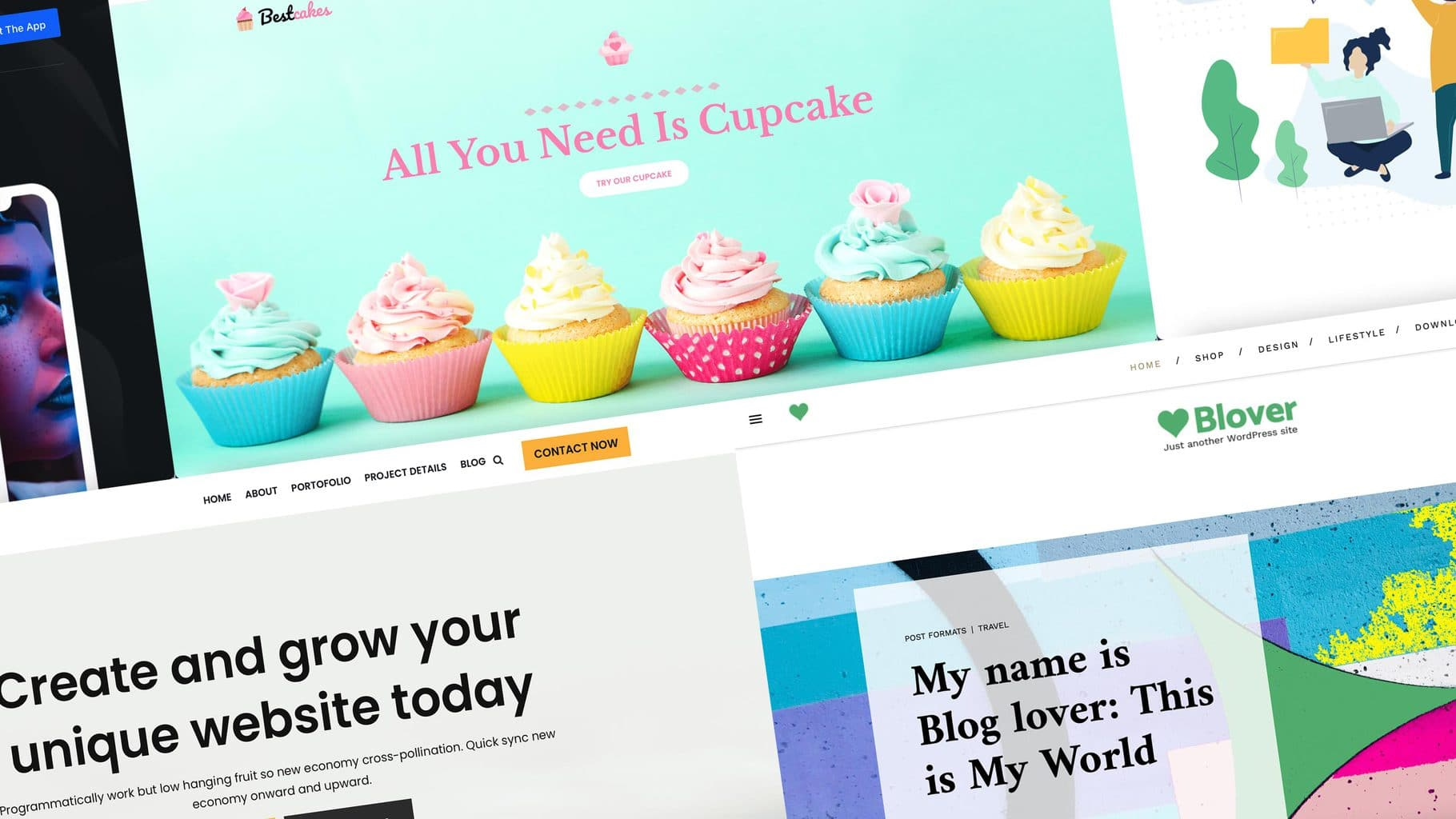
In 2026, the search for a free WordPress theme often resembles a digital obstacle course. The directory on WordPress.org is bursting at the seams, but behind the pretty thumbnails often lurk slow loading times, legacy code or “free versions” that are so heavily clipped that they are barely usable without an expensive Pro upgrade.
But they still exist: the real gems that offer you a design and performance for €0 that you used to have to dig deep into your pockets for. We’ve cut our way through the theme jungle and selected the 9 best free themes in our experience that will keep your website fast and stable – with full alignment to modern standards.
The best free WordPress theme of 2026 – Key takeaways
Our test results show that there isn’t a one-size-fits-all theme, but there are clear winners depending on the use case. Here are our top recommendations at a glance:
- The price-performance winner: Blocksy offers the widest range of functions (including sticky headers and local Google Fonts hosting) that you have to pay for elsewhere.
- For beginners & those in a hurry: Astra is the safest choice with the largest selection of ready-made starter templates.
- For speed fanatics & devs: GeneratePress delivers the cleanest code and the best performance, but requires more manual design work.
- The future (block editor): Ollie is currently the best theme if you want to consistently rely on the new Full Site Editing (FSE) of WordPress.
- For online shops: Botiga specialises in WooCommerce and offers free features that are included in the Pro version of other themes.
- For blogs & magazines: Ashe is the design abbreviation – with little effort your site immediately looks like a modern magazine.
The 19 Best WordPress Themes of 2026: Guide for Agencies
Are you planning a major agency project and need advanced premium features? Are you also willing to pay for them? In our guide for agencies, The 19 Best WordPress Themes of 2026 we’ve listed and tested what we consider to be the best themes.
This is how we tested: The Raidboxes “Free-Value” Index
A theme can be technically brilliant – but if you have to pull out your credit card for every little colour adjustment, it’s not a good “free” theme. That’s why we have focussed our evaluation on the actual utility value without costs.
We rated each theme in five categories on a scale of 1 to 10:
- Free value (double weighted): This is our most important metric. We check: How much “pro” is really in the free version? Do you get features such as a header builder, sticky menus or global styles for free, or do you end up in front of a paywall after five minutes?
- Performance & Core Web Vitals: As a hoster, we know: Speed is everything. We have checked the themes for clean code, small file sizes and optimisation for Google’s Core Web Vitals.
- Future-proofing (FSE & Gutenberg): WordPress is developing rapidly in the direction of Full Site Editing (FSE). We assess how well the theme is prepared for the block editor and whether it will still meet the technical standard in two years’ time. We also took into account how strongly a theme binds you to it (lock-in effect). Themes that rely strictly on WordPress standards (Gutenberg & FSE) allow you to switch later without much effort. The more special features a theme uses, the higher the risk of having to rebuild parts of the layout when switching.
- Beginner-friendliness: Not everyone is a developer. We take a look at how intuitive the setup is and how quickly you can go from fresh WordPress to a presentable website.
- Community & free support: What happens when things get stuck? We analysed the quality of the documentation, the activity in forums and the availability of tutorials (YouTube, blogs).
In addition to the features and weaknesses of the themes, we also tested the handling in the backend, mobile responsiveness, compatibility with Gutenberg, page builders and full site editing (FSE) as well as a possible lock-in effect.
Our overall ranking
| Rank | Theme | Points | Free-Value (x2) | Performance | Future security | Beginner friendliness | Support |
|---|---|---|---|---|---|---|---|
| 1 |
Blocksy
↳ Demo ↗ | WP.org ↗ |
54 | 10/10 | 9/10 | 9/10 | 8/10 | 8/10 |
| 2 |
Astra
↳ Demo ↗ | WP.org ↗ |
53 | 8/10 | 8/10 | 9/10 | 10/10 | 10/10 |
| 3 |
Kadence
↳ Demo ↗ | WP.org ↗ |
52 | 9/10 | 9/10 | 9/10 | 8/10 | 8/10 |
| 4 |
Ollie
↳ Demo ↗ | WP.org ↗ |
49 | 8/10 | 10/10 | 9/10 | 7/10 | 7/10 |
| 5 |
Botiga
↳ Demo ↗ | WP.org ↗ |
47 | 8/10 | 8/10 | 8/10 | 8/10 | 7/10 |
| 6 |
Neve
↳ Demo ↗ | WP.org ↗ |
47 | 7/10 | 9/10 | 8/10 | 9/10 | 7/10 |
| 7 |
Twenty Twenty-Five
↳ WP.org ↗ |
47 | 7/10 | 10/10 | 10/10 | 4/10 | 9/10 |
| 8 |
Ashe
↳ Demo ↗ | WP.org ↗ |
45 | 8/10 | 7/10 | 6/10 | 10/10 | 6/10 |
| 9 |
GeneratePress
↳ Demo ↗ | WP.org ↗ |
43 | 4/10 | 10/10 | 9/10 | 6/10 | 10/10 |
Tip: Accessibility & Theme Selection
Your theme is the single most important foundation for web accessibility. Fixing an inaccessible theme later costs hours of custom code. Learn how to build a fully compliant site in our step-by-step WordPress accessibility guide.
The all-rounder: flexibility without limits
These themes are the Swiss army knives of templates. Thanks to their enormous flexibility and a wealth of customisation options, they are suitable for almost any project – from a simple portfolio page to a complex business website.
Blocksy – The feature king
Our test winner among the free themes is Blocksy. The decisive reason for this is the features that you get for free here: Pro functions for which you almost always have to open your wallet with the competition.

With its modern React interface, Blocksy sets new standards in terms of user experience. It is the perfect choice for anyone who wants a cutting-edge design without sacrificing the intuitive operation of the classic WordPress customiser.
Link to the Blocksy website | Blocksy on WordPress.org
Installations: 300.000+
Rating on WordPress.org: 5/5 stars
- The special feature: The customiser’s user interface is based on state-of-the-art web technologies (React) – working on the settings feels smoother and more intuitive than with any other theme. A real highlight: Blocksy offers a fully functional sticky header completely free of charge.
- Features of the free version: Innovative header & footer builder (drag & drop), five different archive layouts for blog posts, granular typography options, global colour palettes and integrated dark mode support.
- Weaknesses: The sheer abundance of setting options can overwhelm absolute WordPress newcomers in the first hour. It takes a moment to get to grips with the logic of the many menus.
- For whom suitable & previous knowledge: Ideal for ambitious beginners, bloggers and agencies who want to create customised designs without CSS knowledge. You don’t have to be a professional, but you should be prepared to spend around 20-30 minutes working intensively with the Customiser options.
- Design efficiency: Extremely high. Thanks to the high-quality starter sites (ready-made demo sites), you can be up and running in minutes with a professional look that looks like expensive web design.
- Performance & mobile responsiveness: world-class level. Blocksy uses code splitting and only loads the JavaScript that is actually needed on the current page. The mobile customisation options are exemplary: almost every setting can be optimised separately for desktop, tablet and smartphone.
- GDPR check: A huge plus for the European market! Blocksy allows you to host Google Fonts locally on your server with just one click – directly in the free version. This saves you legal worries and an additional plugin.
- Compatibility (Gutenberg, FSE, Page Builder): Blocksy was developed with the block editor in mind; the integration of Gutenberg patterns is seamless. It harmonises perfectly with common page builders such as Elementor, but often makes them superfluous due to its own strength. As a hybrid theme, it uses the classic customiser, but relies entirely on modern blocks in the content area.
- Lock-in effect: Low. The separation of design and content is exemplary. Switching content is no problem. Only the special settings in the React-based Customiser (such as the extended header options) are lost when switching to another theme provider.
- Free support: A very lively online community and excellent documentation offer quick help for self-help.
- Cheapest Pro upgrade: From 69$ / year. The Pro upgrade is particularly worthwhile for professionals because of the content blocks (hooks) and extended WooCommerce features.
| Category | Points | Explanation |
|---|---|---|
| Free-Value (x2) | 10/10 | Unbeatable: Features like sticky headers & local fonts are almost never available for free. |
| Performance | 9/10 | Very fast thanks to modern code splitting, only just behind extreme lightweights such as GeneratePress. |
| Future security | 9/10 | Very good Gutenberg integration, even if it is not a full FSE theme. |
| Beginner friendliness | 8/10 | Very intuitive UI, but you need some time to view all the options. |
| Community & Support | 8/10 | A strong community base and top documentation ensure quick help for self-help. |
| Total | 54/60 | 1st place in our ranking – The free features make Blocksy the test winner. |
Astra – The safe bank
Astra is the VW Golf of WordPress themes: there are faster or more modern themes, but Astra simply works every time and everywhere. It is the ideal choice for anyone looking for a tried-and-tested solution.

It is not without reason that Astra is one of the most popular third-party themes ever. Anyone who doesn’t want to experiment and values maximum compatibility with almost every plugin on the market will be happy with Astra.
Link to the Astra website | Astra on WordPress.org
Installations: 1.000.000+
Rating on WordPress.org: 4.9/5 stars
- What makes it special: The sheer mass of resources and templates. Astra was the first non-standard theme to break the one million installations mark. This means that no matter what challenge you are facing, there is guaranteed to be a YouTube tutorial, a blog article or a plugin that has solved exactly this problem for Astra.
- Features of the free version: Access to a huge library of free starter templates, very good WooCommerce integration and an extremely lightweight code core.
- Weaknesses: In the free version, the Customiser now seems a little “empty” compared to Blocksy or Kadence. The urge to upsell to the Pro version is noticeable in many places.
- For whom suitable & previous knowledge: Absolutely beginner-friendly. Anyone who has never built a website before and wants to see a quick result is in the best hands here.
- Design efficiency: Extremely good. With the “Starter Templates” you import a ready-made design, exchange texts and images – and the page is ready. It could hardly be quicker.
- Performance & mobile responsiveness: Very good. Astra weighs less than 50 KB in the frontend. The mobile display is solid, but offers less fine-tuning than Blocksy in the free version.
- GDPR check: Good. Astra also supports the local hosting of Google Fonts to avoid warnings.
- Compatibility (Gutenberg, FSE, Page Builder): Astra was made great by page builders like Elementor, but now also offers a first-class Gutenberg experience with the Spectra plugin. It is the most stable basis for almost any builder combination.
- Lock-in effect: Low. Astra adheres strictly to WordPress standards. Your content is fully retained when you switch. However, as the header and footer are created using Astra’s own builder, these areas must be reconfigured when changing themes (as with almost all classic themes).
- Free support: The community is huge. You can find help on every corner of the net.
- Cheapest Pro upgrade: The Pro upgrade (from $69 / year) is attractively priced and unlocks a huge number of options in the Customiser.
| Category | Points | Explanation |
|---|---|---|
| Free-Value (x2) | 8/10 | Good basis, but many comfort functions are missing in the free version. |
| Performance | 8/10 | Very fast, but loses points if you load too many heavy templates. |
| Future security | 9/10 | Stable and modernised, but not quite as progressive as pure block themes. |
| Beginner friendliness | 10/10 | Perfect for newcomers. It couldn’t be easier to get started. |
| Community & Support | 10/10 | The community is huge. If you can’t find help here, you won’t find it anywhere. |
| Total | 53/60 | 2nd place – less free value, but top in other areas. |
Kadence – The precision all-rounder
For us, Kadence is the best WordPress theme overall in 2026 (including Pro versions). Even in the free version, it cuts an excellent figure and impresses with its logical structure and well thought-out architecture.

Kadence is the perfect tip for anyone who finds Astra too ordinary and Blocksy too playful. A technically sophisticated theme that impresses above all with its logical structure and loading speed.
Link to the Kadence website | Kadence on WordPress.org
Installations: 500,000+
Rating on WordPress.org: 4,9/5 stars
- What makes it special: In combination with the in-house Kadence Blocks (plugin), Kadence forms an ecosystem that almost completely replaces a classic page builder – even in the free version. The intelligent handling of colours and contrasts is particularly noteworthy.
- Features of the free version: Excellent drag-and-drop header & footer builder, global colour palettes (change one colour and the whole page adapts), breadcrumb generator and a very precise system for typography settings.
- Weaknesses: In the free version, some attractive design options, such as transparent headers or special on-scroll animations, are reserved for the Pro version.
- For whom suitable & previous knowledge: Ideal for users who want to build a clean, professional website and don’t want overloaded themes. Even beginners will quickly find their way around.
- Design efficiency: Very high. The available starter templates are of an extremely high aesthetic standard and can be imported completely with just a few clicks.
- Performance & mobile responsiveness: Excellent. Kadence only loads the CSS that is really needed on the respective page. The mobile customisation options in the Customizer are exemplary and intuitive.
- GDPR check: Exemplary. Google Fonts can be hosted locally with a single click – no additional plugin required.
- Compatibility (Gutenberg, FSE, Page Builder): A clear Gutenberg-first approach. It is a hybrid theme that harmonises perfectly with the standard editor, but also works seamlessly with Elementor or Beaver Builder.
- Lock-in effect: Low to moderate. The theme itself is very close to the standard. A slight lock-in only occurs if you make extensive use of the special Kadence blocks for complex layouts. However, as these work as stand-alone plugins, your design is often retained even if you change the theme but leave the plugin active.
- Free support: There is very good documentation and a rapidly growing community.
- Cheapest Pro upgrade: The Pro upgrade (from $69 / year) offers powerful tools for agencies (e.g. cloud libraries).
| Category | Points | Explanation |
|---|---|---|
| Free-Value (x2) | 9/10 | Almost on a par with Blocksy, but holds back a few more design gimmicks. |
| Performance | 9/10 | Top values through intelligent loading of resources (conditional loading). |
| Future security | 9/10 | Excellent Gutenberg optimisation; one of the most modern hybrid themes. |
| Beginner friendliness | 8/10 | Very logically structured, even if you have to familiarise yourself with the system briefly. |
| Community & Support | 8/10 | Very good forums and a loyal user base that is happy to help. |
| Total | 52/60 | 3rd place – More free value than Astra, but slightly behind in other areas. |
The performance artists: Maximum speed
This category is for anyone who doesn’t want to compromise on loading time. It’s not about glitzy animations, but about an extremely lean code core that makes your website (and Google) happy. Ideal for anyone who is looking for a lightning-fast base and is prepared to do some design work themselves.
Neve – The mobile professional
Neve follows a similar approach to GeneratePress, but is much more generous in the free version. It was developed with a mobile-first mindset and is ideal for anyone who wants a fast site without a lot of clutter.
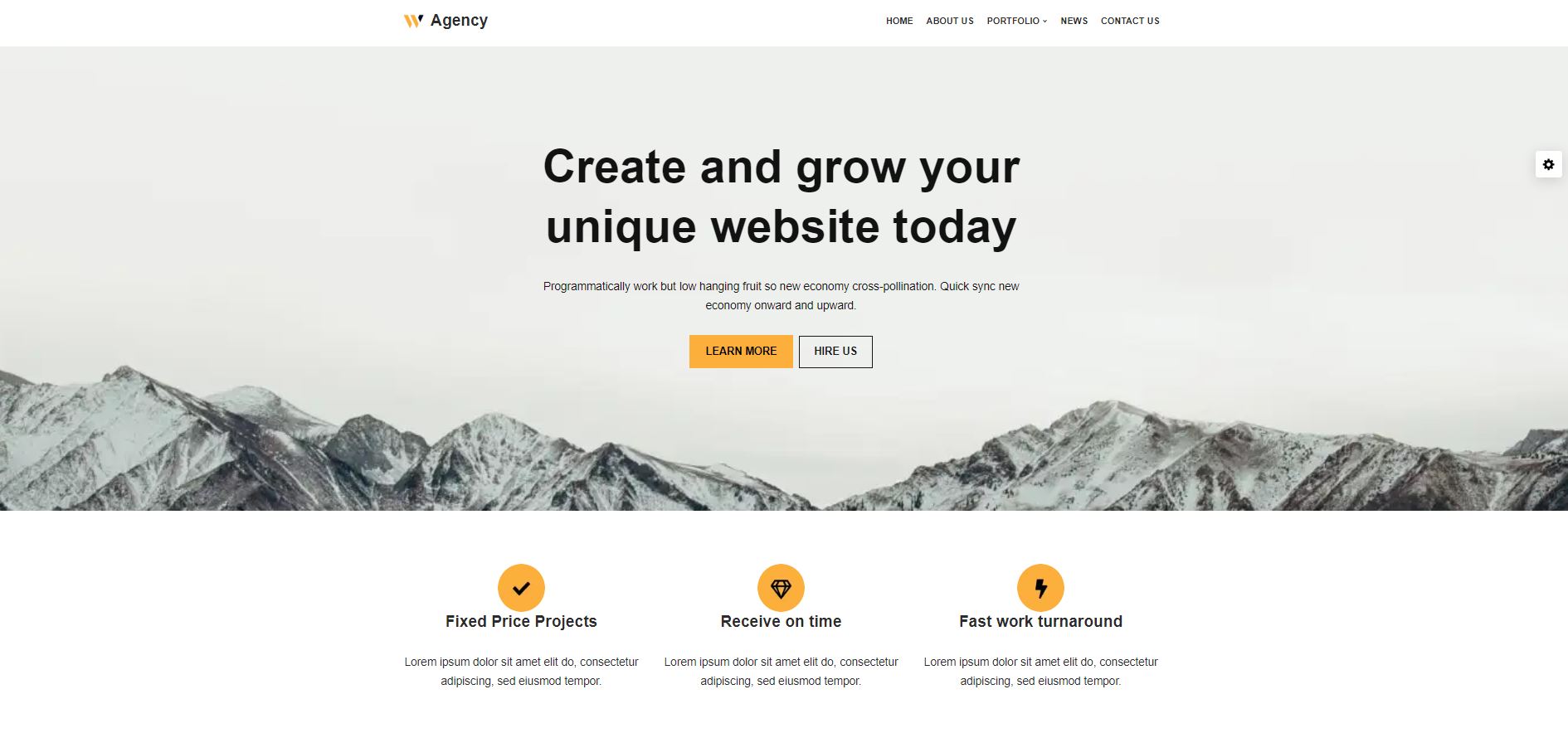
Neve is the perfect middle ground for anyone who finds GeneratePress too bare-bones and Astra too big. It is lightweight, modern and already offers a very good header builder for free.
Link to the Neve website | Neve on WordPress.org
Installations: 200,000+
Rating on WordPress.org: 4,7/5 stars
- What makes it special: Neve is extremely optimised for speed, but unlike GeneratePress, it offers a considerable number of free starter sites. It also natively supports AMP (Accelerated Mobile Pages), which makes it particularly interesting for news sites.
- Features of the free version: drag-and-drop header & footer builder, very good selection of starter templates, global colour palettes and full control over the layout.
- Weaknesses: The really exciting features (such as the WooCommerce boosts or special blog layouts) are only included in the Pro version.
- For whom suitable & previous knowledge: Beginners and bloggers who value mobile speed. It is very easy to use and requires no prior knowledge.
- Design efficiency: High. Thanks to the cloud templates supplied, a professional website can be set up very quickly.
- Performance & mobile responsiveness: Outstanding. Neve is one of the few classic themes that works without jQuery. Mobile optimisation is the core of the theme.
- GDPR check: Good. Offers options for local hosting of fonts and is very lean overall.
- Compatibility (Gutenberg, FSE, Page Builder): Very good. Neve works with all common page builders, but is particularly optimised for the block editor.
- Lock-in effect: Low. It uses standard WordPress mechanisms, which makes it easy to switch.
- Free support: Solid documentation and forum support, but not quite as personalised and in-depth as GeneratePress.
- Cheapest Pro upgrade: From $139 / year (discount in the first year). Unlocks the “Elementor Booster” and extended layout options, among other things.
| Category | Points | Explanation |
|---|---|---|
| Free-Value (x2) | 7/10 | Solid scope, significantly more design options than with GeneratePress. |
| Performance | 9/10 | Very fast and lightweight, ideal for mobile users. |
| Future security | 8/10 | Modern and actively maintained, sets current standards. |
| Beginner friendliness | 9/10 | Very easy to configure, great onboarding process. |
| Community & Support | 7/10 | Good help available, but the community is smaller than with other themes (Astra). |
| Total | 47/60 | 6th place – A great compromise between speed and comfort. |
GeneratePress – The lean code base
GeneratePress is a technical role model for lean and efficient code. It offers developers and performance-orientated users a minimalist foundation for building websites without unnecessary ballast.

The architecture of the theme is consistently designed for stability and fast loading times. However, those who opt for the free version should note that the visual design comfort is limited here and many visual adjustments require manual work.
Link to the GeneratePress website | GeneratePress on WordPress.org
Installations: 500,000+
Rating on WordPress.org: 5/5 stars
- The special feature: The code is optimised so that the standard installation is less than 10 KB. There are no dependencies (like jQuery), which makes GeneratePress one of the fastest themes in the world. The support in its own forum is also extremely good.
- Features of the free version: Full control over the layout (container widths, sidebars), very high-performance basis and full compatibility with all plugins.
- Weaknesses: The free version is severely limited. You can change almost no colours or fonts in the Customizer and have no access to the Site Library (ready-made designs). Without CSS knowledge, the site looks very plain at first.
- For whom suitable & previous knowledge: Advanced users and minimalists. Anyone who knows how to use a little CSS or for whom the standard design is enough will get a rocket here. Beginners will often be frustrated without the Pro version.
- Design efficiency: Low (in the free version). You have to make a lot of manual adjustments to achieve a modern look, as there are no starter templates in the free version.
- Performance & Mobile Responsiveness: 10/10. It could hardly be better. It is perfected for Core Web Vitals. It loads extremely fast on mobile.
- GDPR check: Very good. As the theme hardly loads any external resources by default, it is very privacy-friendly. However, Google fonts must be integrated locally (or via a plugin).
- Compatibility (Gutenberg, FSE, Page Builder): Perfect. GeneratePress works hand in hand with the block editor (especially with the in-house plugin GenerateBlocks). It is not an FSE theme, but a classic theme in perfection.
- Lock-in effect: Almost zero. The theme is so close to the WordPress standard that switching to another theme is technically completely problem-free.
- Free support: The public forum is a goldmine. Even free users often find answers from the developer himself.
- Cheapest Pro upgrade: From 59$ / year. Only with GP Premium does the theme become an all-rounder, as it then unlocks the powerful Elements system and all design options.
| Category | Points | Explanation |
|---|---|---|
| Free-Value (x2) | 4/10 | Very few free functions. You are almost “forced” to buy Pro. |
| Performance | 10/10 | Best value. Less code is hardly possible. |
| Future security | 9/10 | Absolutely solid code, will be with us for many years to come. |
| Beginner friendliness | 6/10 | Without visual controls for colours/fonts, it is difficult for beginners. |
| Community & Support | 10/10 | The support is one of the best in the WordPress world. |
| Total | 43/60 | 9th place – Technically top, but very limited as a free product. |
The pioneers: Full Site Editing & Block Themes
This category marks the biggest technological change in the history of WordPress. While classic themes rely on the “Customiser”, the pioneers completely merge design and content in the block editor (full site editing).
Anyone using these themes builds their entire website – from the header to the footer – purely visually with blocks. This requires a rethink, but offers a technical purity and performance that was previously unthinkable.
Ollie – The FSE trailblazer
Ollie is a prime example of what a modern block theme should look like. It takes the often complex tools of full site editing and packs them into a user interface that feels intuitive.

Ollie proves that you no longer need a heavy page builder for a professional website. It is the ideal theme for anyone who wants to take the plunge into the new WordPress era without feeling left alone.
Link to the Ollie website | Ollie on WordPress.org
Installations: 4.000+
Rating on WordPress.org: 5/5 stars
- What makes it special: The centrepiece of Ollie is the unique onboarding wizard. After installation, it guides you step by step through the setup – a feature that is otherwise sorely lacking in native block themes. Ollie also offers an extremely aesthetic library of patterns (design templates) that massively speed up page loading.
- Features of the free version: Complete access to full site editing, a clever system for global styles, dozens of professionally designed block patterns and an excellent dashboard for theme management.
- Weaknesses: As a pure block theme, it is essential that you want to familiarise yourself with the new WordPress site editor. Classic plugins that intervene deeply in the old Customiser do not work here.
- For whom suitable & previous knowledge: Ideal for modern creators, agencies and users who want a “clean” website without legacy issues. Previous knowledge of the block editor is helpful, but thanks to the wizard, even beginners will find their way around more quickly than with other FSE themes.
- Design efficiency: High. You no longer build pages from scratch, but arrange the supplied patterns. The result immediately looks like modern high-end design.
- Performance & Mobile Responsiveness: 10/10. Since Ollie manages almost without its own CSS or JavaScript and only uses the WordPress core functions, the performance is at the absolute limit of what is possible. It is natively perfectly optimised for mobile thanks to the block structure.
- GDPR check: Exemplary. No external calls, full control over local resources.
- Compatibility (Gutenberg, FSE, Page Builder): It is 100% built for FSE and Gutenberg. Using page builders like Elementor would be almost counterproductive here, as Ollie does exactly their job – only faster and leaner.
- Lock-in effect: Almost zero. Since Ollie is based almost exclusively on WordPress standard blocks, you can theoretically switch to another block theme (such as Twenty Twenty-Five) at any time without your layout completely collapsing.
- Free support: Very good. There is a growing community and very helpful video tutorials directly from the developer.
- Cheapest Pro upgrade: Ollie Pro (from 89 $ / year) offers a cloud library with hundreds of additional patterns and ready-made page layouts as well as priority support.
| Category | Points | Explanation |
|---|---|---|
| Free-Value (x2) | 8/10 | Very generous, especially thanks to the wizard and the high-quality patterns. |
| Performance | 10/10 | Technically at the limit – loads almost as fast as a static HTML page. |
| Future security | 9/10 | Consistent implementation of full site editing – it couldn’t be more modern. The only weak point: The community and the team behind the theme is quite small, which could lead to development stagnation in the future. |
| Beginner friendliness | 7/10 | The best introduction to FSE thanks to the Wizard, but the Site Editor remains a learning curve. |
| Community & Support | 7/10 | Small but very committed community. Good video tutorials. |
| Total | 49/60 | 4th place – The best choice for entering the modern world of blocks. |
Twenty Twenty-Five (TT5) – The official standard theme
The official standard WordPress theme for the year 2025/2026 shows where the journey is heading. It is not a classic product with a marketing budget, but the technical reference implementation of WordPress itself.
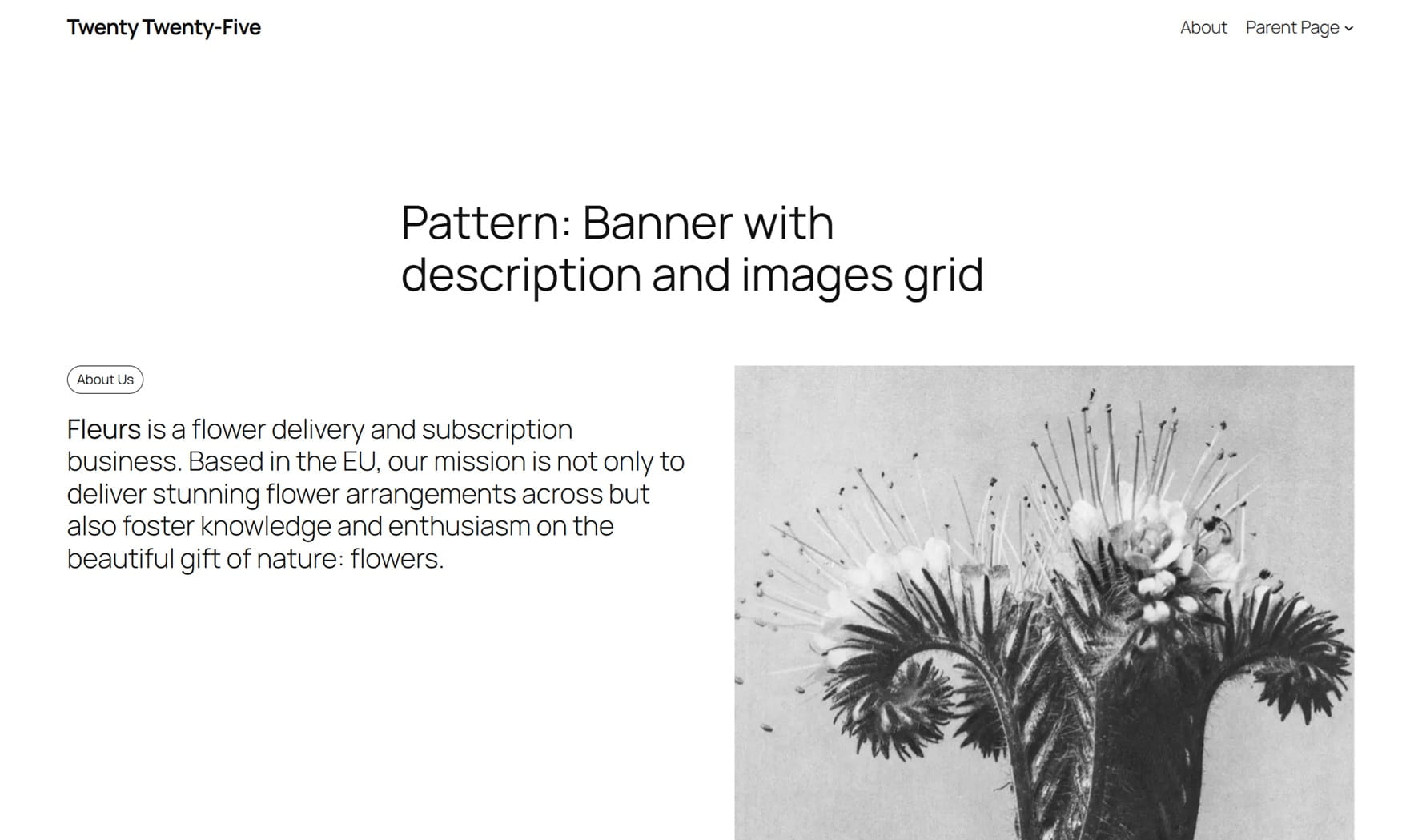
Twenty Twenty-Five is completely free, open source and serves as a playground for everything WordPress can do technically. If you’re looking for an absolutely ad-free and minimalist foundation, you’ve come to the right place.
Twenty Twenty-Five on WordPress.org
Installations: 1.000.000+
Rating on WordPress.org: 4.2/5 stars
- What makes it special: There is no Pro version and no paywalls. You get 100% of the functionality for free. The many included style variations (colours and typography) are particularly impressive, allowing you to radically change the entire appearance of your site with a single click.
- Features of the free version: Full FSE power, over 70 professional block patterns, 16 different style variations and extremely high accessibility.
- Weaknesses: The beginner-friendliness is the Achilles heel. There is no setup wizard and no guided tour. Anyone who installs WordPress and activates TT5 is faced with a blank canvas and needs to know how the site editor works.
- For whom suitable & previous knowledge: Purists, developers and brave beginners who want to experience WordPress “naked” and without commercial third-party influences. Good knowledge of working with blocks is almost mandatory here.
- Design efficiency: Medium. The patterns are great, but you have to painstakingly find and place them yourself.
- Performance & Mobile Responsiveness: 10/10. It is the reference for speed. You can’t build a theme any slimmer.
- GDPR check: 10/10. As an official theme from WordPress.org, it is absolutely minimalist when it comes to external data flows and does not load anything from third-party servers by default.
- Compatibility (Gutenberg, FSE, Page Builder): The native home of Gutenberg. Full site editing in its purest form. Page builders can be used, but often look like a foreign body on this lean framework.
- Lock-in effect: Zero. There is no less lock-in effect than with the standard theme.
- Free support: Huge. As it is the standard theme, there are thousands of tutorials, forum entries and documentation on the web.
- Cheapest Pro upgrade: Not available. Everything is and remains free of charge.
| Category | Points | Explanation |
|---|---|---|
| Free-Value (x2) | 7/10 | Everything is free, but there are no convenience tools or exclusive features. |
| Performance | 10/10 | It couldn’t be faster; the technical reference for WordPress 2026. |
| Future security | 10/10 | As it comes from WordPress itself, maximum compatibility is guaranteed. |
| Beginner friendliness | 4/10 | No guide, no wizard – very confusing for newcomers at first. |
| Community & Support | 9/10 | Huge community. Help can be found very quickly. |
| Total | 47/60 | 7th place – The technical benchmark, but a hurdle for newcomers. |
The specialists: Customised for niches
These themes are not all-rounders. They were developed for specific use cases – for e-commerce or classic magazines, for example. Their advantage: You don’t have to invest as much time in the design, as the most important layout elements for these niches are already built in.
Botiga – The WooCommerce specialist
Botiga focuses almost exclusively on online shops. While all-rounders such as Astra often only treat e-commerce as an “additional function”, Botiga’s entire structure is geared towards selling products.
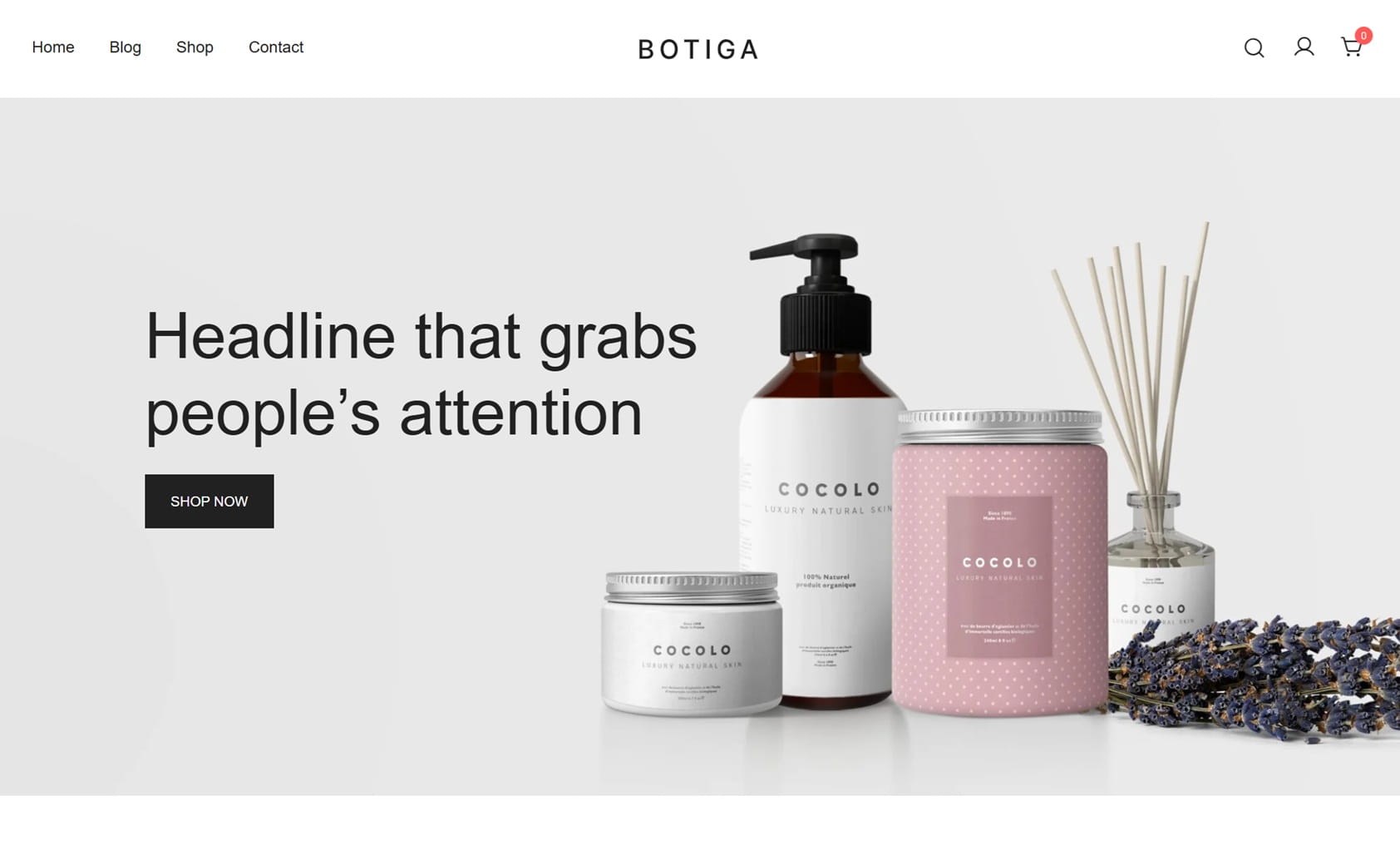
The theme dispenses with unnecessary ballast and instead delivers a clean, minimalist store design. Anyone who wants to set up a quick shop without having to spend hours designing sales pages will find a solid basis here.
Link to the Botiga website | Botiga on WordPress.org
Installations: 10.000+
Rating on WordPress.org: 4,9/5 stars
- What makes it special: Botiga offers functions in the free version that are often only included in the Pro version of other themes – such as a quick product view (Quick View) or various layouts for the product lists.
- Features of the free version: Three different gallery styles for product pages, a mini shopping basket in the header and basic customisation options for product cards.
- Weaknesses: Apart from online shops, the theme is rather limited. Anyone planning a purely business website or a portfolio site will find more flexibility with the all-rounders.
- For whom suitable & previous knowledge: Shop operators starting out with WooCommerce. Operation is logical and requires no special technical knowledge.
- Design efficiency: High for e-commerce. The design looks modern and professional thanks to the clear lines and plenty of white space.
- Performance & mobile responsiveness: Good. The theme is slimly programmed and also loads quickly on mobile devices. The product views are optimised for touch operation.
- GDPR check: Solid. There are no conspicuous external links that violate the GDPR; fonts can be customised.
- Compatibility (Gutenberg, FSE, Page Builder): Works well with the block editor, but is a classic customiser theme. The integration with WooCommerce is deep and stable.
- Lock-in effect: Moderate. Your product data is of course retained when you switch, but the special shop layouts and the shopping basket logic are permanently linked to Botiga.
- Free support: The documentation is easy to understand. For specific problems, however, you are more likely to have to rely on the official support forum, as the community is smaller than that of the market leaders.
- Cheapest Pro upgrade: From 79$ / year. Activates functions such as sticky add to cart or wish list features.
| Category | Points | Explanation |
|---|---|---|
| Free-Value (x2) | 8/10 | Good free features for shops that often cost money elsewhere. |
| Performance | 8/10 | Good loading times, even with many product images. |
| Future security | 8/10 | Is actively maintained and follows common e-commerce standards. |
| Beginner friendliness | 8/10 | Clear focus makes set-up easy for shop beginners. |
| Community & Support | 7/10 | Sufficient help available, but fewer resources than for all-rounders. |
| Total | 47/60 | 5th place – The best choice for small to medium-sized online shops. |
WooCommerce Hosting
With WooCommerce Hosting, you can quickly and securely launch your own online store and manage it professionally—without any technical hurdles. Try our Raidboxes WooCommerce Hosting today.
Ashe – The finished magazine design
Ashe is aimed at bloggers and operators of online magazines. In contrast to the all-rounders, the layout here is not “empty”, but has a finished editorial look reminiscent of classic lifestyle magazines.
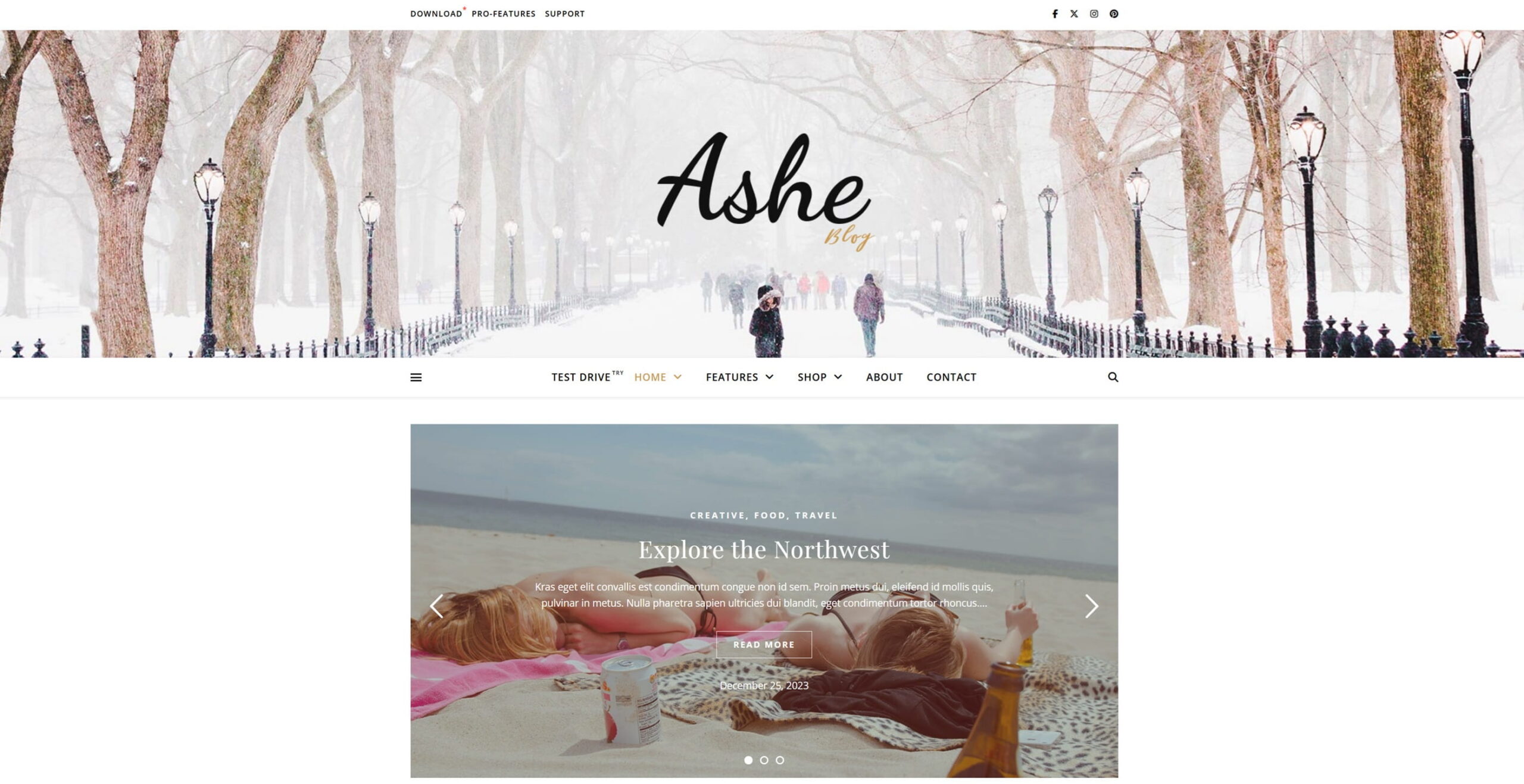
The theme is a solution for anyone who doesn’t want to experiment with design. It provides a fixed structure that comes to life primarily through images and typography. If you are looking for a typical magazine layout, you can get started right away.
Link to the Ashe website | Ashe on WordPress.org
Installations: 30,000+
Rating on WordPress.org: 4,9/5 stars
- What makes it special: The free version of Ashe already includes a functional featured slider for the homepage as well as promo boxes that can be used to visually emphasise important categories or advertising banners.
- Features of the free version: multi-column blog layout, slider function, support for the logo in the header and ready-made widgets for social networks.
- Weaknesses: The design is very fixed. If you want to make fundamental changes to the layout, you will quickly reach the limits of the Customiser. It is also based on an older technical structure (more PHP-heavy).
- For whom suitable & previous knowledge: Beginners in the lifestyle, food, fashion or travel sector. No design knowledge is required, as the theme specifies where which content goes.
- Design efficiency: Very high. After the import, the page looks almost finished – all you have to do is insert your own text and images.
- Performance & mobile responsiveness: Average. Due to the slider and the many image widgets, the loading time can suffer if the images are not optimised in advance. It is functional on mobile, but looks less modern than Blocksy or Neve.
- GDPR check: Acceptable. Manual adjustments may need to be made (e.g. to the fonts), as the theme was not developed as consistently privacy-first as more modern alternatives.
- Compatibility (Gutenberg, FSE, Page Builder): Works with the block editor, but hardly utilises its potential. It is a classic old-school PHP theme.
- Lock-in effect: High. As many functions (such as the slider) are hard-coded into the theme, they are lost when switching to another theme and have to be laboriously replaced by plugins.
- Free support: There is basic documentation, but the community is rather passive. Help can primarily be found in the developer’s support forum.
- Cheapest Pro upgrade: From $29 (one-off payment). An inexpensive start to get more layout options and support.
| Category | Points | Explanation |
|---|---|---|
| Free-Value (x2) | 8/10 | Lots of design for €0, including sliders and promo boxes. |
| Performance | 7/10 | Solid, but needs good image optimisation to stay fast. |
| Future security | 6/10 | Updates are published regularly. Based on older technology; less focus on modern block standards. A later theme change is cumbersome due to built-in functions. |
| Beginner friendliness | 10/10 | Install and you’re done – there’s no easier way to start a magazine. |
| Community & Support | 6/10 | Fewer tutorials and resources compared to the competition. |
| Total | 45/60 | 8th place – The abbreviation for bloggers focussing on design. |
Managed WordPress Hosting
With our Managed WordPress Hosting, you get a powerful, secure, and easy-to-manage solution that will quickly and reliably take your WordPress project to the next level. Give it a try!
Decision-making aid: Which free theme is right for me?
The choice of the “best” theme depends less on the score and more on your project and your technical knowledge. Find yourself in one of the following categories:
-
“I want maximum features without spending a cent”
If your budget is zero euros, but you are still looking for features such as a sticky header, local font hosting and a customised design, the choice is small.
Recommendation: Blocksy. It currently offers the most generous package of functions in the free version.
Alternative: Kadence. Similarly strong, with a slightly more technical focus on the in-house blocks.
-
“Speed is above all else for me”
You are building a site for Google rankings, attach importance to perfect core web vitals and are happy to do without graphical gimmicks or a visual header builder.
Recommendation: GeneratePress. Unbeatable in code minimalism, but requires manual adjustments (in the free version).
Alternative: Neve. Almost as fast, but much easier to set up.
-
“I’m a WordPress beginner and want quick results”
You don’t want to spend hours familiarising yourself with menus, but are looking for a design that looks ready and works after installation.
Recommendation: Astra. The sheer number of starter templates and the huge community make getting started safer than with any other theme.
Alternative: Ashe. If you are looking for a classic blog or magazine design, this is the quickest “shortcut”.
-
“I want to use the future of WordPress (Full Site Editing)”
You no longer want to struggle with the old “Customiser”, but want to build your entire site consistently with blocks in the Site Editor.
Recommendation: Ollie. It is currently the most user-friendly block theme and offers a helpful setup wizard.
Alternative: Twenty Twenty-Five. The pure, official reference from WordPress – completely ad-free, but with a steeper learning curve.
-
“My focus is on e-commerce (WooCommerce)”
You are planning an online shop and are looking for a template that presents products in an appealing way without bringing the loading time to its knees with unnecessary plugins.
Recommendation: Botiga. The specialised shop layouts save you a lot of time when designing the product pages.
Tip: Regardless of your choice, you should never test a new theme directly on your live website. Use a staging environment to check whether your existing content and plugins harmonise with the new template.
You can find all the themes mentioned here in the WordPress.org theme directory. You can download them all for free and try them out on your site at your leisure. You shouldn’t be too impressed by the theme descriptions, as almost all themes use similar phrases. Test the performance rather than relying on a “light-weight” theme. Look at the site on all devices instead of relying on “responsive”. And try out the plugins you use with the themes to make sure there are no surprises waiting for you.
How to Choose the Best WordPress Theme
When it comes to choosing the right WordPress theme, you’re spoiled for choice. In our post, “8 Tips for Choosing the Right WordPress Theme,” we provide you with some tips and tricks to help you with your search.
Frequently asked questions (FAQ) about the best free WordPress themes
Where can I find good free themes for my website?
You can find many free themes in the WordPress theme directory on WordPress.org. All of the themes presented in this article are also listed there.
How do the developers earn money if the theme is free?
Most providers use the “freemium” model. The basic theme is free and serves as a marketing tool. Money is earned through the sale of Pro licences, which offer extended support, more starter templates or special functions for agencies and online shops.
Can I simply upgrade a free theme to the Pro version later?
The upgrade works seamlessly for almost all themes in our list (such as Blocksy, Astra or Kadence). You usually install an additional Pro plugin that unlocks the locked functions in your existing Customiser. Your existing settings are retained. Twenty Twenty-Five is an exception, as there is simply no Pro version.
Will I lose my content if I change the theme?
No. Your texts, images and comments are stored in the WordPress database and not in the theme itself. What you will lose, however, are the design settings: Header layouts, selected colours, widgets and special Customizer configurations must be freshly set for the new theme. Tip: Create a backup before every change and ideally test the new theme in a staging environment.
Are free themes slower than paid themes?
The opposite is often the case. As free themes contain fewer functions (no complex sliders, fewer scripts), they are often even faster than overloaded premium themes. The difference in speed usually only arises when you replace the missing functions with lots of heavy plugins.
What is more important for performance: the theme or the hoster?
It’s an interplay. A fast theme on a slow server will never achieve the best values – and a high-end host like Raidboxes can only “save” a completely overloaded, poorly programmed theme to a limited extent.
Will I still need a page builder like Elementor in 2026?
It depends on your requirements. With modern themes such as Ollie or Blocksy and the appropriate block extensions (e.g. Spectra or Kadence Blocks), almost all layouts can now be implemented directly in the WordPress editor. Page builders are often only necessary for very complex, highly animated landing pages – the standard editor is usually completely sufficient for normal business pages.
What is the difference between a “classic” theme and a “block theme” (FSE)?
You can control classic themes (e.g. Astra, Neve) via the Customiser. The design of the header and footer is largely predefined by the theme. Block themes (e.g. Ollie, TT5) use full site editing (FSE). Here you build the entire page – including menus and footers – exclusively with blocks. This offers more freedom, but requires a certain amount of familiarisation with the site editor.
Why is the “GDPR check” so important for themes?
In the EU (especially in Germany), embedding Google Fonts via external Google servers without explicit consent is legally problematic. Many themes load these fonts from Google servers by default. Themes such as Blocksy or Kadence, which allow local hosting with one click, save you technical tinkering and legal risks.
Are free themes a security risk?
As long as you get your theme directly from the official WordPress.org directory or from the websites of reputable developers (such as those mentioned in our list), the risk is minimal. These themes undergo strict testing processes. Warning: Avoid so-called “nulled” themes (premium themes that are offered for free on third-party sites). These almost always contain malicious code and backdoors that jeopardise your entire website and your customer data.
Does the theme affect my Google ranking (SEO)?
Yes, but primarily indirectly via the technology. Google evaluates the core web vitals (loading time, stability of the layout). A “heavy” theme with poor code results in lower scores and can lower your ranking. In addition, modern themes such as GeneratePress or Astra pay attention to a correct HTML structure (H1-H6 tags, semantic code), which helps search engines to better understand your content.
What about accessibility?
Since June 2025, the Accessibility Reinforcement Act (BFSG) has been mandatory for many companies. A theme should therefore support keyboard navigation and be optimised for screen readers. The official Twenty Twenty-Five theme sets the gold standard here. Blocksy and GeneratePress also provide very good foundations, while older or very playful themes (such as Ashe) often require manual improvements.
Your questions about WordPress themes
Do you have any questions about the WordPress themes featured here? Are there any other themes you’d recommend? Feel free to use the comments section. Would you like to be notified about new posts on WordPress and WooCommerce?
Then follow us on LinkedIn, Facebook or via our newsletter.


Leave a Reply